Platform for Academic Coaches and Students
Help Students Complete Coursework With Greater Independence
Students can use the plan they build with their coach or have Lyntra draft one around their assignments and available time. Lyntra helps them work through assignment steps, understand confusing instructions, and pick up after a break.
Coaches can review the student’s plan, progress, and questions in Lyntra before the next session, then decide together which strategies to practice or change.

Having a Plan Is Not Always Enough

You Know the First Step but Can’t Start

One Assignment Takes Longer Than Planned

Your Schedule Changes With Work Still Unfinished

You’re Unsure What the Assignment Requires
For Students: Get Started and Keep Going

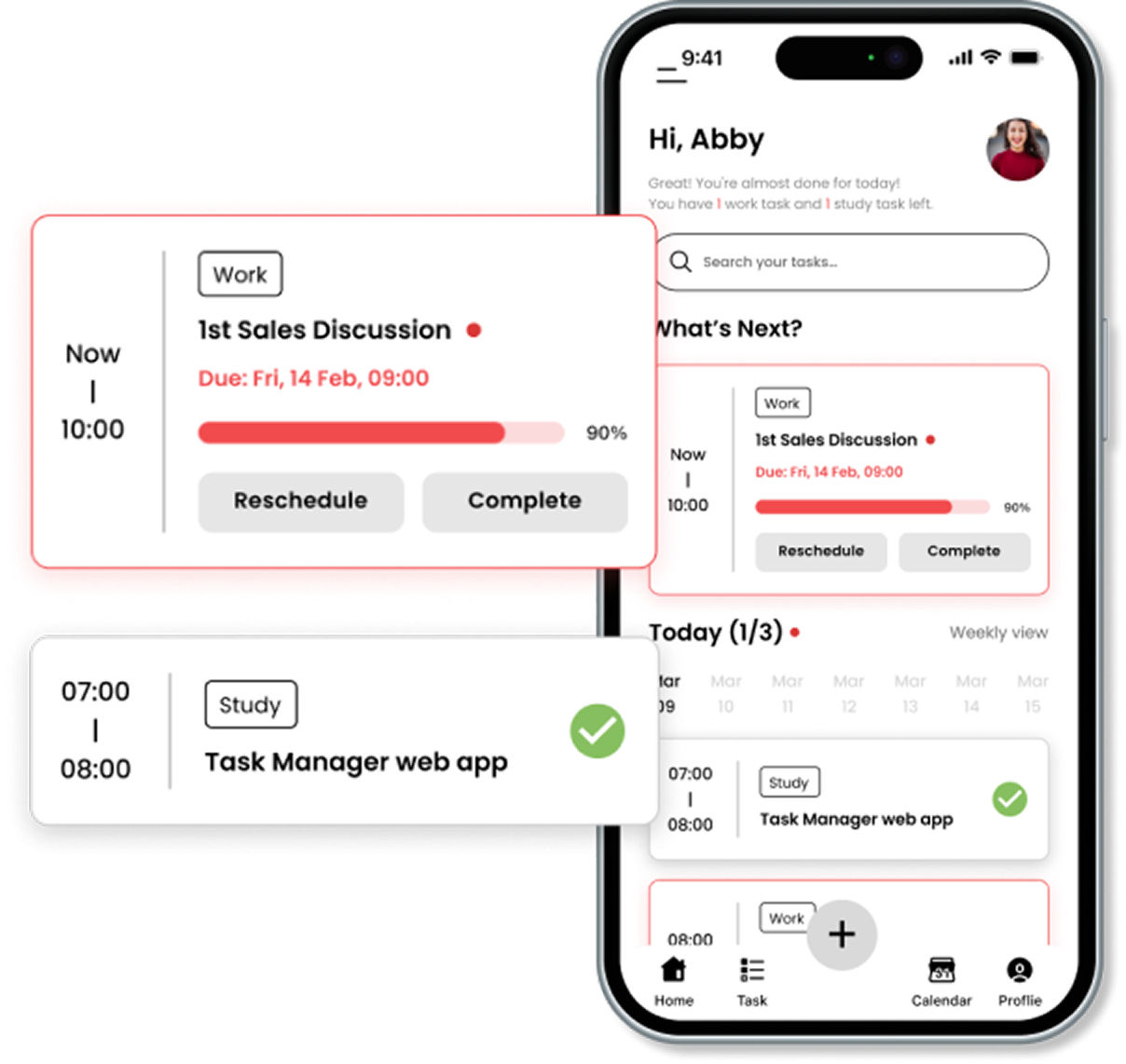
Fit Coursework Into Your Week
Lyntra drafts a study schedule around your deadlines and commitments. Review it, make changes, and move unfinished work without losing completed steps.

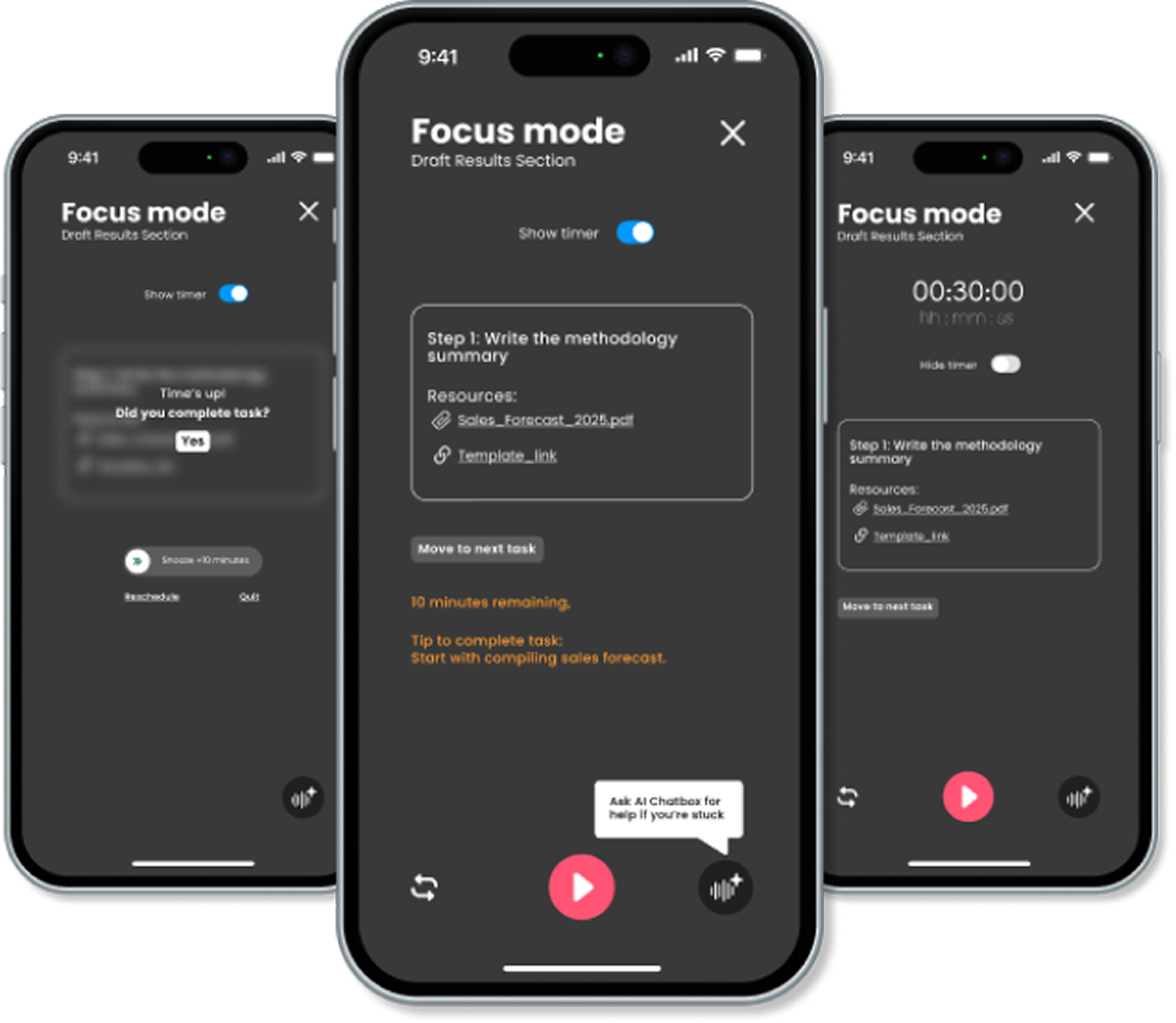
Work on One Step at a Time
Work through an assignment in manageable steps, with its instructions and materials close by. After a break, pick up at the same step.

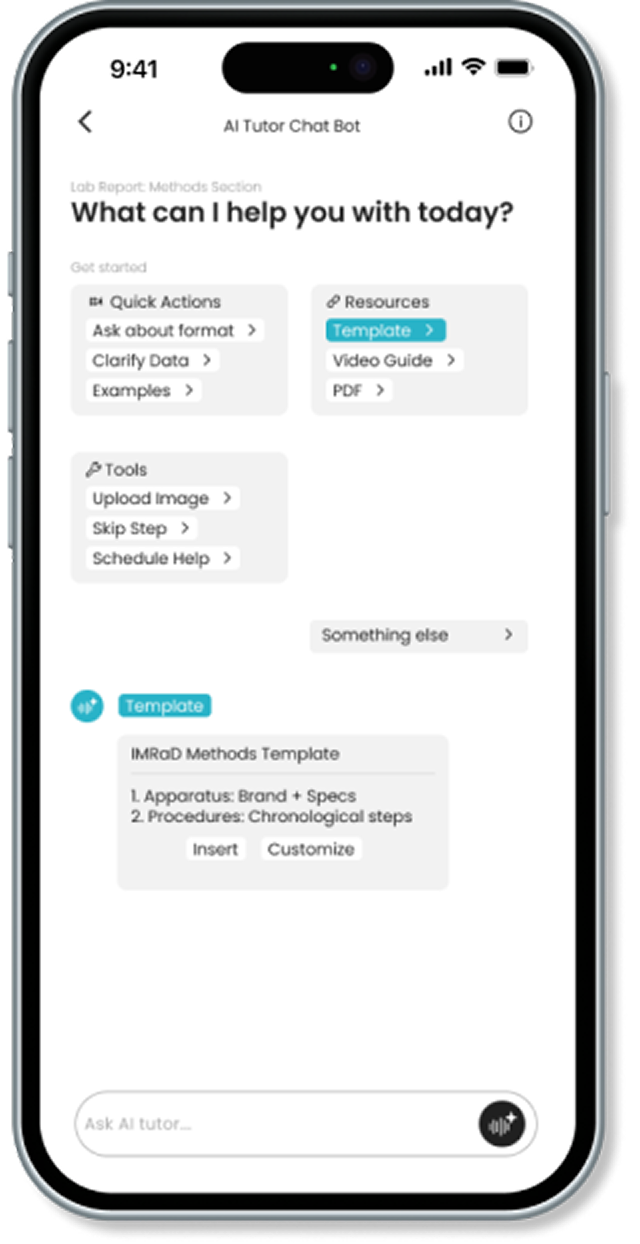
Understand the Part You’re Stuck On
Ask what an instruction means or how to approach a problem. Get an AI explanation using your course materials in Lyntra.
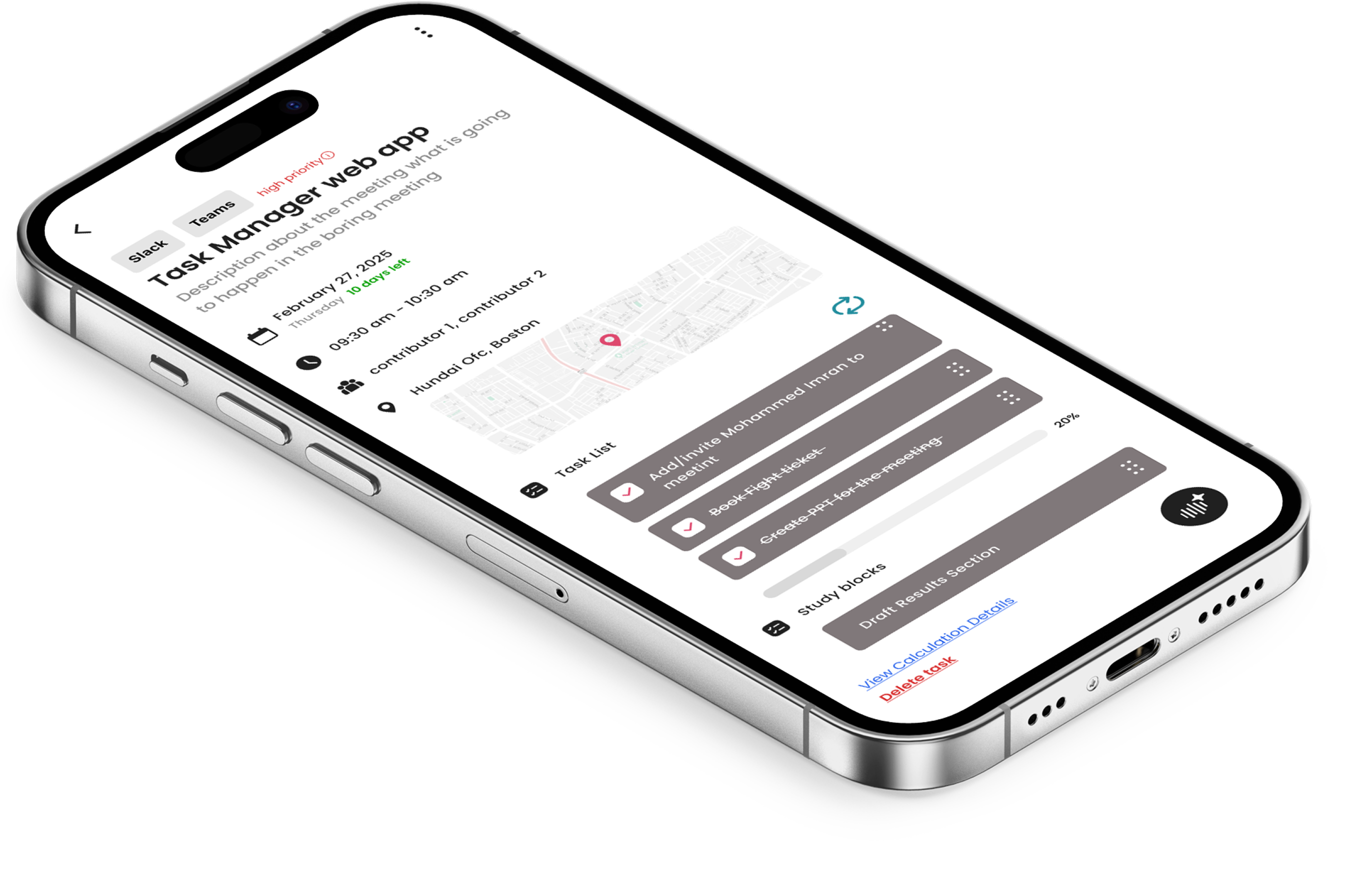
Prepare for Your Next Assignment
For Coaches: Build on the Work Between Sessions
See each student’s assignments and study plan
Review their progress and questions in Lyntra
Discuss what helped and what was difficult
Decide what to try next with the student

Connect Your Coursework and Calendar
Bring assignments and calendar events into Lyntra to plan study time around what’s due.




Connections vary by school and account.